

Do you want to become a successful Amazon seller? Master the competition, use winning keywords, create and protect your listings from hijackers? On this journey, the program Helium 10 will become your new best partner — it’s the first choice of all already successful Amazon sellers. Whether you’re a complete beginner or a professional, Helium 10 is without a doubt the most popular toolkit for making your Amazon sales successful. Experienced sellers highly value it and already know its worth well.
What do you need to know when looking for the right product to sell on Amazon?

When looking for the right product, market and keyword research is of extraordinary and decisive importance in determining whether sales will be successful or not. This can be quite a tough nut to crack, as you need to take into account many different factors. You need to know how much the product is searched for by customers — that is, what the demand is, what the current trends are, what the competition looks like, what the expected profits are, and more. You can uncover all of this invaluable data yourself through numerous market and competitor analyses.
It sounds complicated, but fortunately there is already a program that performs all the necessary analyses for you in one place. Helium 10 with its tools greatly simplifies the process of finding the right product to sell on Amazon. It contains over 450 million ASINs and works very quickly, so within moments you get an insight into whether a particular product is your potential winner for successful sales.
What is Helium 10 and what does it allow you to do?

Helium 10 is a suite of many software tools that allow you to find the right product to sell on Amazon. With the help of the numerous tools it contains, it undoubtedly enables successful selling.
The name originates from the originally included ten tools in Helium 10 — today there are many more. All of these tools are specially designed with the purpose of making the entire process of selling products on Amazon easier for you — it is all in one! For a quicker overview, you can use the Helium 10 Chrome extension and its tools within that extension.
If you have already used Jungle Scout, you will find Helium 10 better, with more tools. Install the Helium 10 extension and when you go to Amazon, the icon appears in the upper right corner. When you click on it, all the necessary data opens in a single table for analysis. You are therefore looking for products with high search volume and low competition.
KEYWORD RESEARCH
We all know that people go to Amazon with the intention of buying something. That is why it is extremely important to know which keywords have demand behind them.
For keyword research, the most popular tools are Helium 10 Magnet and Helium 10 Cerebro. This way you get accurate data on what is being searched for on Amazon by buyers. These are two separate programs and each one individually represents exceptional value.
Helium 10 Magnet
It performs an in-depth keyword analysis for you, meaning it finds related keywords based on your chosen keyword.
It works by entering a keyword, and the program suggests similar and relevant keywords. Filtering by volume allows you to find what adjectives customers most often type alongside the primary keyword (e.g. color, size, etc.) and then adapt your product accordingly.
This program can also be used solely for product research — for example, you enter a general keyword (e.g. “decor”) and then check the products that are somehow relevant to that keyword.
Use case:
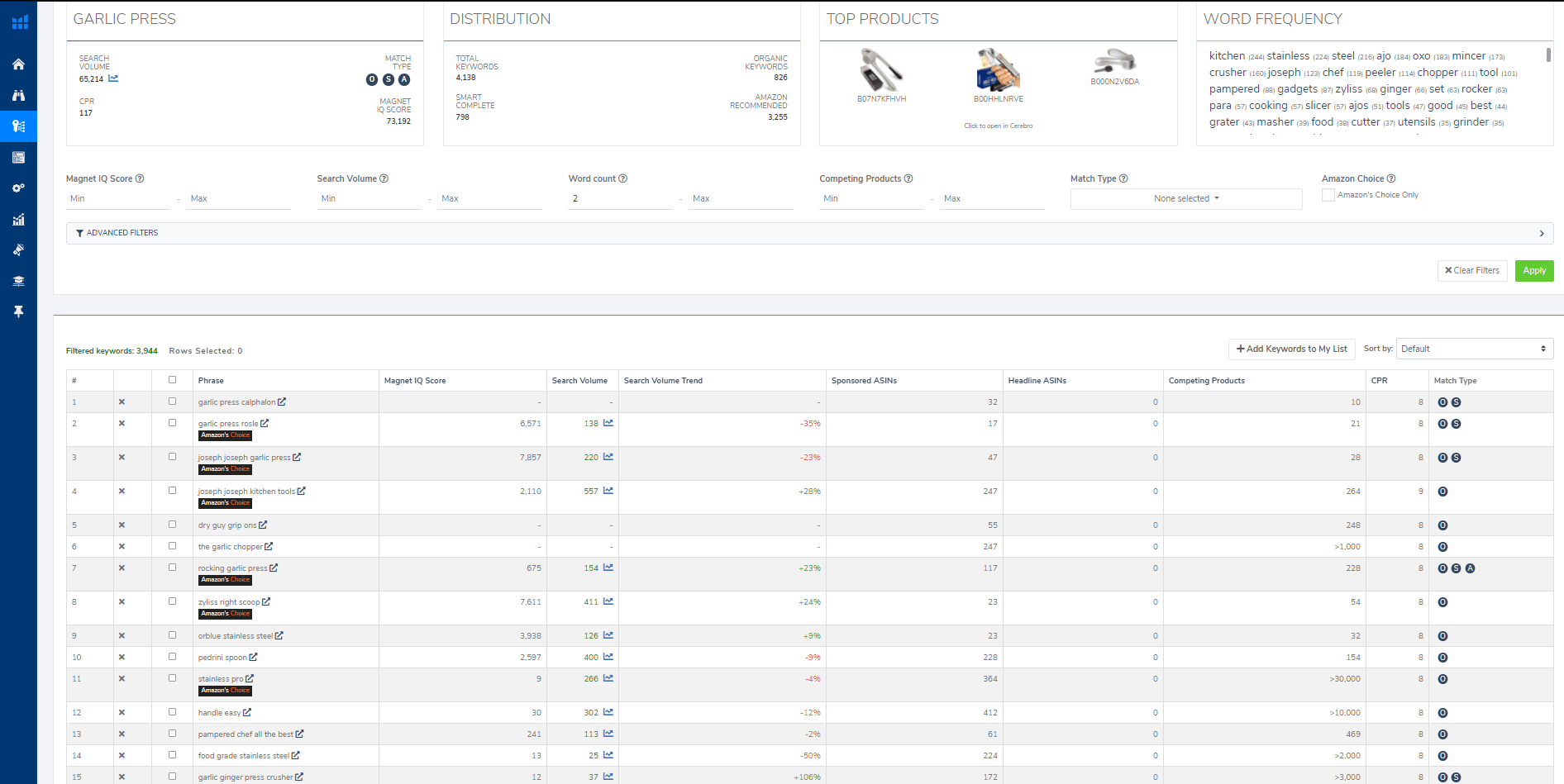
Go to your Helium10 account and select the Magnet tool on the left. Enter a keyword, such as “garlic press,” and include the filter “at least 1000 IQ score” and “at least 500 exact search.” What it shows you are keywords that Helium10 considers to be a good opportunity.
Helium 10 Cerebro
According to users, this is the most useful tool, which allows you to review keywords for a selected product. It works on the principle of reverse ASIN lookup, meaning it finds keywords that are relevant to a competing product.
Once you have selected your product for sale, you can use this tool to check how the competition uses keywords to have their listings appear high up, i.e., for high ranking. This gives you a clear list of exactly those keywords with which the competition generates the most sales. Of course, you also want to use such highly searched keywords for your own product.
It works by finding the listing of a product that is your competition. At the bottom of the page, you will find the product’s ASIN. An ASIN is the unique code for every product on Amazon. Copy this ASIN and paste it into the designated field in the Cerebro tool. The tool then displays and suggests a complete list of keywords relevant to the entered ASIN of that competing product. Next to each keyword is also the search volume, so you can sort the keywords by search frequency.
Use case:
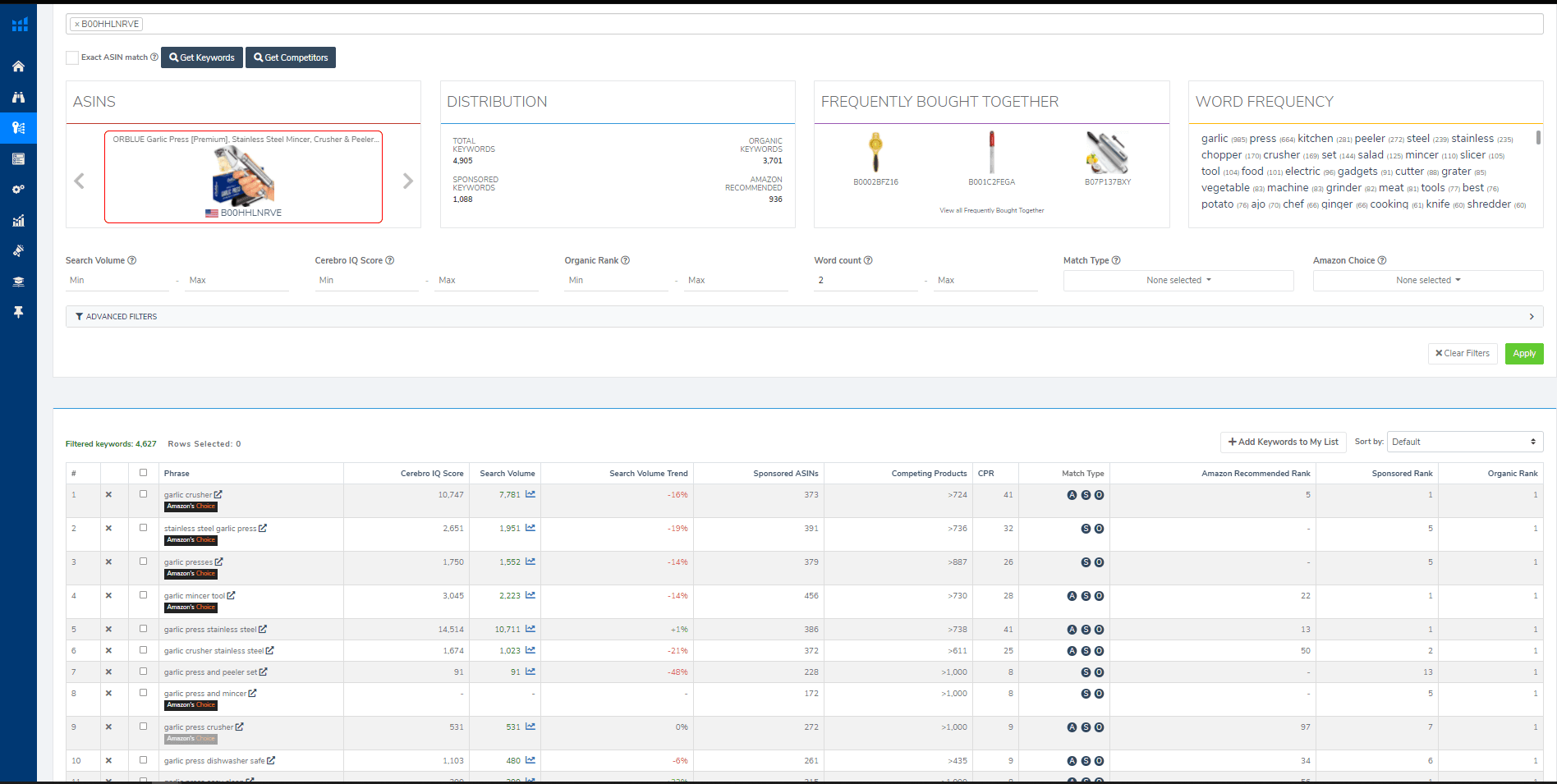
It is most advisable to enter up to 10 products, of course ones that are as relevant to our product as possible. Once Helium 10 shows us the results, we export them and open the spreadsheet in Excel. We then check, for each keyword, how many of those ten products we entered rank for that keyword in the top 10–30 positions. The more of these products there are, the more relevant the keyword is to our product, and the higher focus we place on it when advertising the product and when setting up the product listing.
This tool can also be used in other ways. For example, we can use it to find keywords for which our product ranks somewhere between 10th and 30th place. We then additionally advertise these keywords to climb even higher on Amazon with an organic position for that keyword. This tool can also be used to check the organic and advertising positions of your own or competing products.
This greatly expands your chances of successfully breaking your product into the market, once you also know your competition.
Keyword Tracker
The use of the Keyword Tracker is also recommended, which tracks what position you are ranked at for a specific keyword for your product once you are already selling it. In addition, it shows you at what position your ad appears for a given keyword compared to your competition. With it, you can track the positions of your product for a specific keyword – both organic and advertising positions.
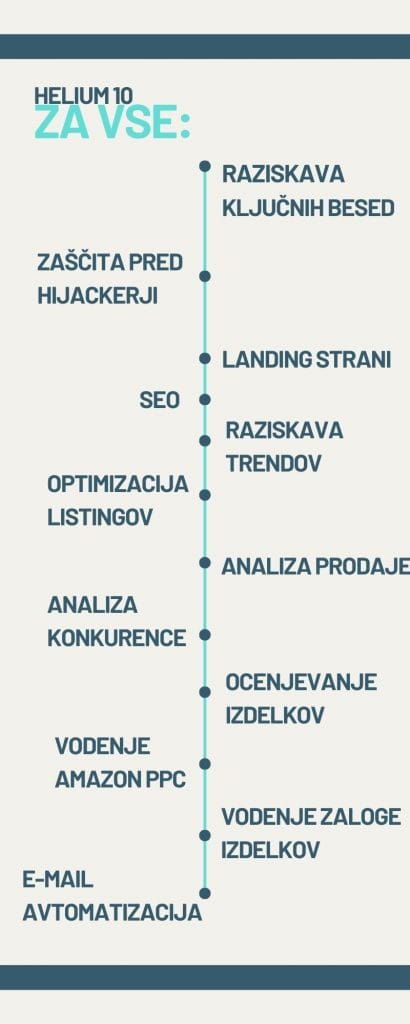
In addition to keyword research tools, Helium 10 offers much more with its suite of tools:
X Ray gives you, once you select a product, data on what the sales of the selected product look like, what the sales history is, what the competition is like, how many and what kind of customer reviews they have (reviews), how many images they have in their listing, and much more.
Profitability calculator instantly shows you what your potential profit would be if you were selling this or a similar product.
Inventory levels shows other sellers of a specific product and what their product stock levels are.
Review Downloader displays and downloads all product reviews with just one click. This is very valuable information, as you can see which keywords customers use in their reviews. Additionally, from negative reviews of competing products, you can see what bothers customers about them and improve these aspects in your own product that you are launching.
Market Tracker shows you the market and niche your product is in, and how broad a market area it covers.
Scribbles is an excellent tool that helps you optimize your listing. It also guides you through the writing process so you don’t forget to include all your selected keywords.
Index Checker ensures that you are being searched for the keywords that are in your listing.
Alerts warns you about hijackers breaking into your listing. The program immediately notifies you via SMS or email if someone changes your product name or image, and when you receive a new customer review.
Don’t have an idea for a product to sell?
Blackbox can help you with that — it is a product research tool that finds you ideas for products to sell.
Trendster helps you review current trends.
Don’t worry if you make a typo while writing your listing — Misspellinator will alert you to any errors.
Follow Up is a tool that allows you to automate your email campaign. For example, the program can automatically send customers an email after a set period of time, asking them for a review of their purchase and their satisfaction with the sales experience with you.
Ads is one of the newest tools in Helium 10, which enables you to manage all your PPC campaigns and helps you with suggestions for improvement.
In the Profits section, you can check your financial status and analytics, track your costs and earnings, your ROI, and the status of your inventory.
Portals allows you to create special landing pages for your products, through which you drive customers to your Amazon listing.
If you want to become a certified Helium 10 user and gain in-depth knowledge about product research, keyword research, listing optimization, analytics, and marketing, professionally trained instructors invite you to the Helium 10 Academy.
GIFT:

The right product to sell on Amazon, with which you will earn well, can also be found by a program. This is Helium 10, which is practically recommended by all the best Amazon sellers in the world.
Because I want you to get into practice as soon as possible, and even if you haven’t decided on my Amazon package, you can take advantage of a discount on the currently best program in the world with which you can find the right product to sell on Amazon.
Helium 10 allows you to find the right product with which you will earn at least 300 euros in revenue per day among the 450 million products available on Amazon.
50% discount on the first month of the program — use Helium 10 by entering the code ZANNEKREP50 at checkout and get a 50% discount on the first month of Helium 10.
If you are already a user of this best program, you can enter the code ZANNEKREP10 at checkout and get a 10% discount every month on Helium 10.
You can take advantage of the discount for Helium 10 at this link!