
One could argue that Instagram is a social network like no other. Rather than being built around words, the platform is almost entirely built around sharing images and videos.
With more than a billion registered accounts, Instagram, which was acquired by Facebook in 2012, has become part of everyday life for many people. It seems that everyone is on Instagram today, from small to large businesses, cultural institutions, celebrities, photographers, and musicians.
In this article, we will break down how to use Instagram for your small business – we will cover everything from leveraging the platform’s features to specific ideas on how to increase your digital presence on this social network.
Why you should use Instagram for your business
When a presence on social platforms is properly planned and managed, Instagram offers a wide range of opportunities even for small business owners. If you are going to use the platform as a tool for marketing your products and services, then you need a good Instagram marketing strategy.
According to Instagram’s own study, 81% of users stated that Instagram helps them build their own base of new customers for their products and services. That is why I am sure you do not want to miss out on an entire group of customers simply because you are not active on this social network.
What kind of followers you want
Before you create your Instagram profile or update it if you already have one, let me first touch on the topic of your followers. Let it guide you that the quality of followers is more important than their quantity. Many people are obsessed with the number of their followers on social networks and believe they need 100,000 followers to earn 100,000 euros. This thesis certainly does not hold true, so keep the quality of your followers foremost in mind.
The conversion rate is counted as the number of users who view your account and become potential or committed customers. Instagram has one of the best conversion rates among social media platforms.
Before you begin, however, it is important to clearly define who your ideal customer is. These are the people who will respond to your calls to action. These are the people who will faithfully follow you, who will buy your product or service, download your free e-book with useful tips, or share your message with their people.
If you are still not sure who your ideal customer is, start asking yourself who that is. This is the foundation of every business, and it is no different on Instagram.
Here are a few questions to get you started:
- What problem would you like to solve for your ideal customer?
- What would you say if someone asked you who you want to work with?
- Who do you want to be a “hero” for – what kind of person would you like to help (woman/man, age, status, etc.)?
The fact is, if you are talking to everyone, you are talking to no one.
10 tips on how to use Instagram for your business
- The basics: Set up your profile
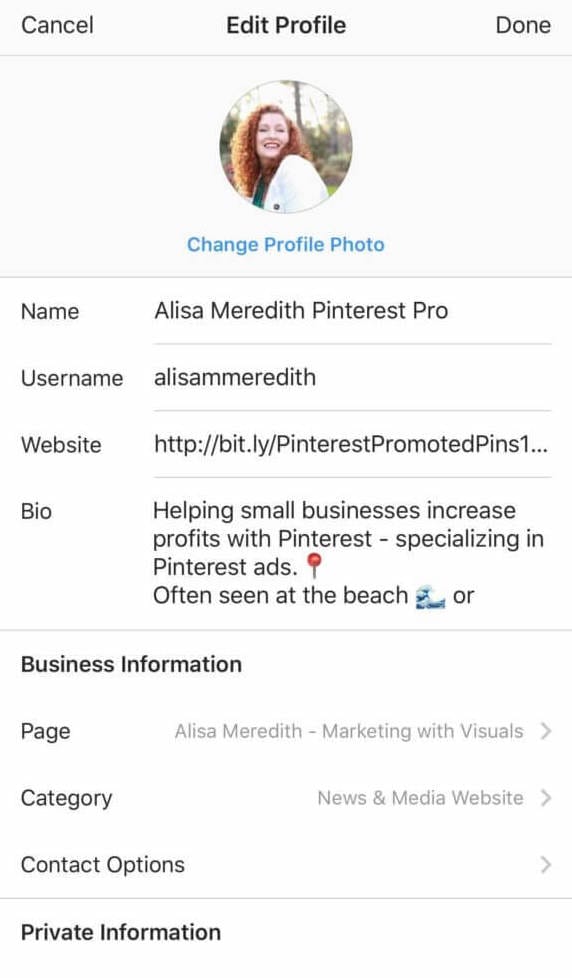
You may roll your eyes at this, but it is a necessary reminder. Once you have set up your business account, take a moment to review your Instagram profile. New features and settings are constantly changing, sometimes without prior notice. It does not hurt to check whether you have the standard essential business profile settings in place that need to be considered. These include updating business categories, hours, location, contact information, and linking to your service or product catalogs. Check and make sure that your profile elements, such as your bio and profile picture, are consistent with your brand.
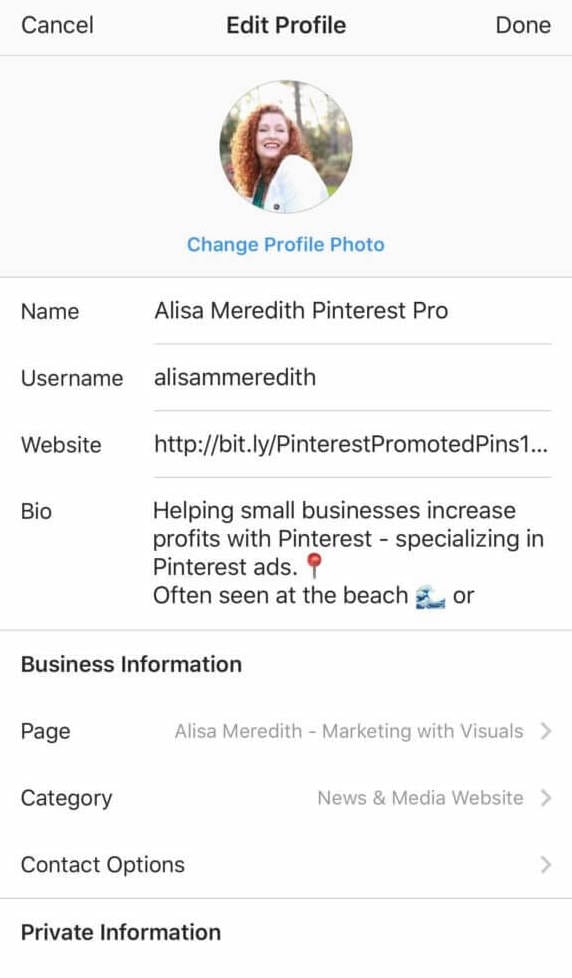
2. Optimize your link (“link in bio”)
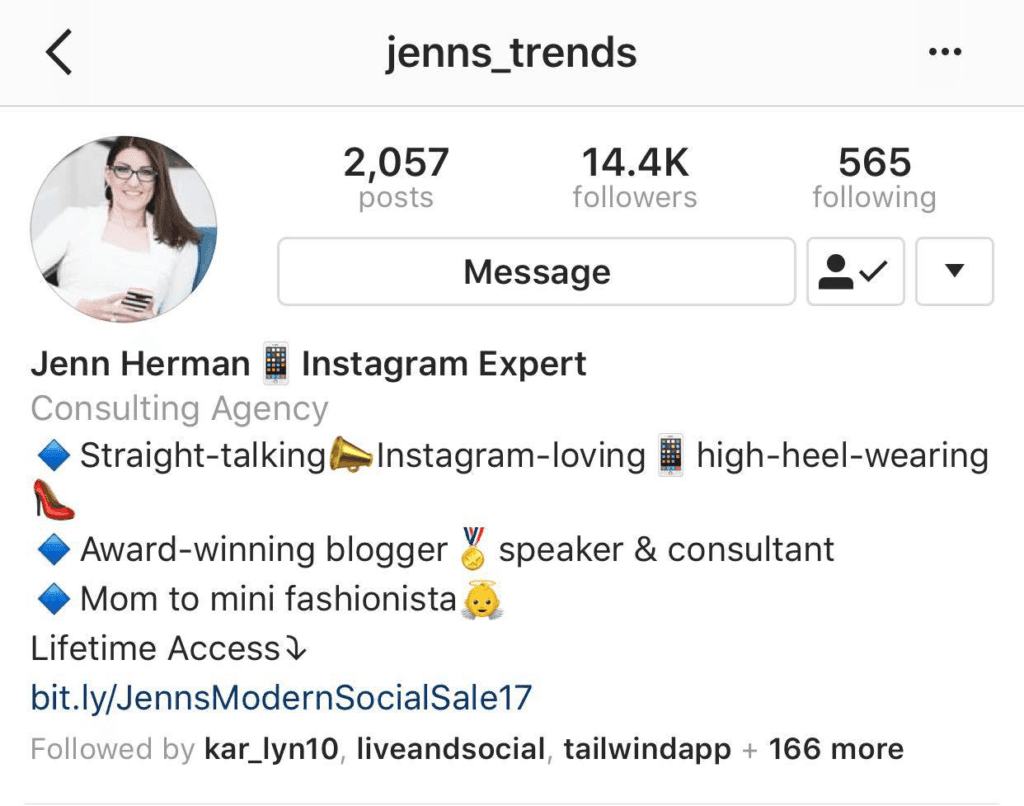
Good social media managers have become creative, making full use of the link field that Instagram offers. It has become common practice to refer to your link – “link in bio” – in the posts you write and publish, and to use that link to display a landing page featuring your most important or current products and services.
3. Tag your posts with a geo-location
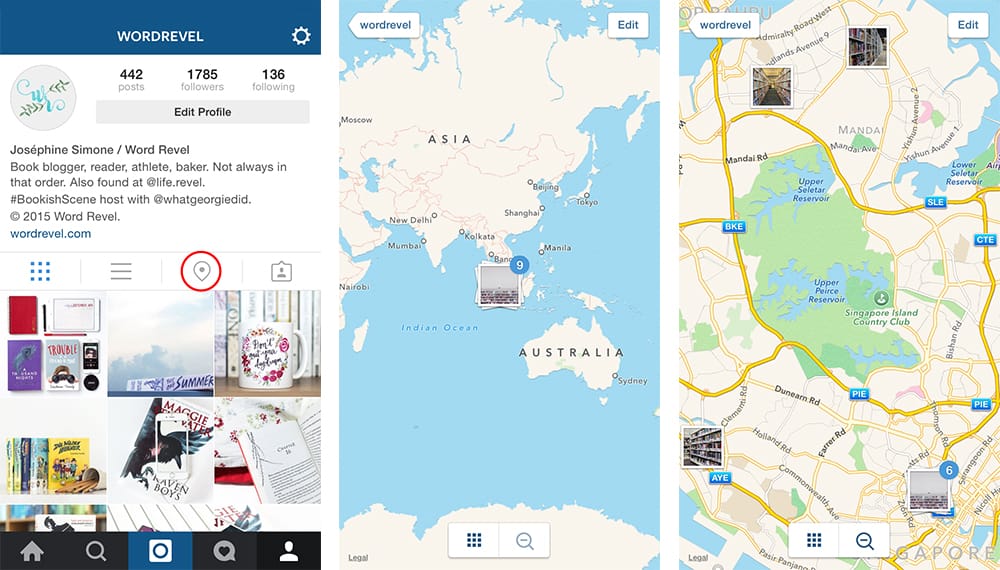
When posting from your business’s physical location, publish and add the location name. If you haven’t done this for previous posts, you can go back to older posts and edit them.
What does geo-tagging mean? Instagram collects all posts tagged at that location and sorts them into top posts and most recently published. This contributes to brand awareness and helps customers explore your business.
4. Use the post saving feature
This feature can be useful for boosting your business’s Instagram content strategy. Instagram offers the option to save posts and organize them into collections. You can view these posts later. While this feature isn’t strictly necessary, it is recommended.
There are many ways to use this feature for research and inspiration. Let me list a few ideas:
- you can see what your competitors are posting;
- find visual inspiration for your photos;
- save great posts you come across;
- get ideas for your future posts;
- see customer reviews – giving you insight into what customers like;
- you can see posts from both satisfied and dissatisfied customers;
- find potential influencers who may be able to help you in the future.
As you can see, the possibilities are endless. So if you come across a great post while browsing Instagram that interests you for any of the above reasons, hit the save button.

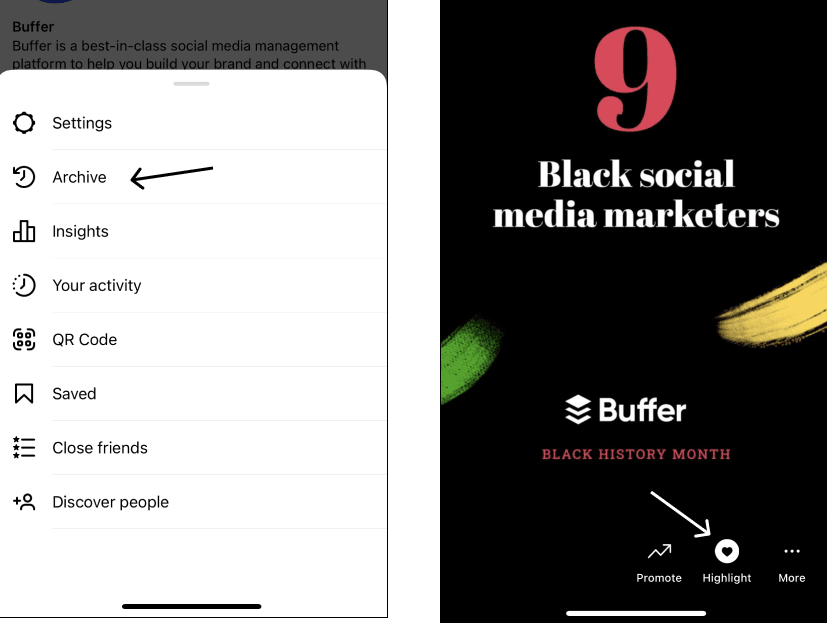
5. Use the “Stories Highlights” feature
Instagram’s “Stories Highlights” feature gives you the opportunity to share even more information about your business with potential customers. So-called “highlights” extend the lifespan of your stories by displaying them on your profile.
Start with the basics, such as:
- about you: a few posts about your values, your working hours, and your brand or business;
- business location and/or highlights of locations where you currently operate: if you operate in multiple locations, post photos from those locations;
- customer reviews or posts: repost reviews you receive from your customers – you can also turn them into graphics;
- frequently asked questions: share information or answers to frequently asked questions from customers. This also saves you time responding to customers, as you can redirect them to the FAQ Highlight;
- product/service features: create a combined post or highlight each individual product or service. Some things simply can’t be fit into a single post. In such an individual post, you can also dive into the details.
Now that you know the basics, it’s time to get even more creative. The next step is to review what topics and content you’re already creating in your Highlights.
Let me share a few more ideas you can use.
Are you creating a series of posts about all your employees, introducing each one individually – who they are, what they do in your company, and what their strong point is in your business? All of this can be saved to Highlights.
Perhaps you’re an event planner. Go behind the scenes of your work and show what you do for each client. Have fun with your posts.
With the “Stories Highlights” feature, your brand’s voice can truly shine.
6. Create “Guides”
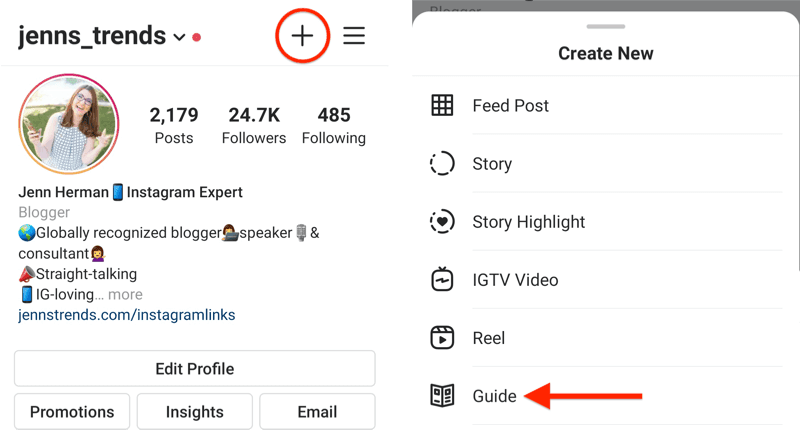
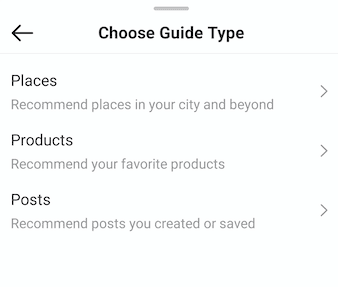
Similar to “Instagram Highlights,” the “Guides” feature allows you to combine your favorite posts into one featured piece of content. However, there are some key differences. This feature is more “editorial” in format, like reading an article. You can include photos and posts from your feed, as well as photos and posts from other people that you have saved.
Each embed allows for a caption where you can share even more about the product or location you are featuring.
In addition to the ideas mentioned in point 5, the “Guides” feature is great for compiling a list of location recommendations. These can be all your locations or local businesses you recommend. You can expand the theme to your city, exploring the neighborhood where you live or work, or even influencer recommendations.
If you happen to be unsure whether you’re ready to publish the content you’ve created, don’t worry. The “Guides” feature allows you to save content as drafts until you’re ready to publish them.
7. Pay attention to the captions under your posted photo (“Instagram captions”)
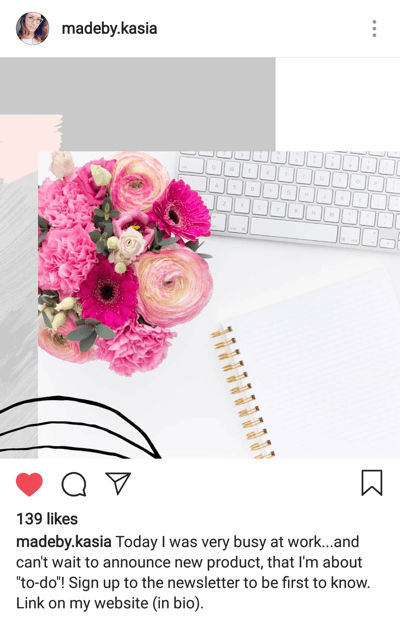
The first line you write under a posted image is what grabs people’s attention and determines whether they decide to read more about it. In addition to paying attention to the first line of your caption, you also need to review the rest of the text you publish. With the addition of keyword search on Instagram, what you write under your photo on Instagram is more important than ever before. Previously, you could get away with just being charming with your words. This doesn’t mean you can’t continue doing that, but alongside it, make sure to include keywords – hashtags – that you want others to associate with you. Similar to conducting basic keyword research, this part can include your brand and product names or general terms related to the industry you operate in.
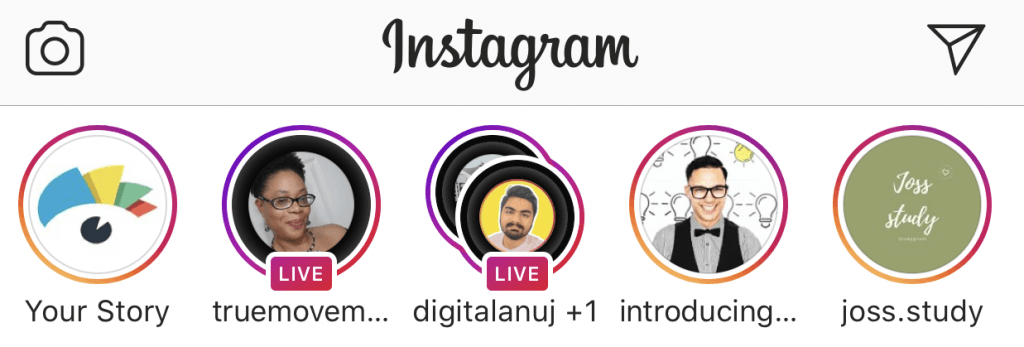
8. Use “Instagram Live”
The popularity of the “Instagram Live” feature for brands skyrocketed in 2020, when marketing managers and business owners found themselves faced with the challenge of working from home, yet still needing to connect with customers on a personal level in some way. Using “Instagram Live” has numerous benefits. The biggest one is that followers receive a notification when you start broadcasting live. This instant communication is crucial, especially when trying to stand out in a crowd of posts.
Some ideas for going live:
- Go behind the scenes of your business: give a tour of your space or show the creative process (or part of it) that you need to go through to create your product.
- Answer frequently asked questions: Instagram offers a Q&A feature. Live Q&As can cover anything your customers are struggling with, or relate to specific products or services you sell.
- Conduct an interview with interesting individuals from your business: if you have a live guest, this feature allows you to interview them from wherever you are, or give them the microphone to introduce themselves and their work through your questions.
- Showcase your product or service: is it easier to share more about your product or service through images or by talking about it? Use the “Live” feature for details about the product or service you offer. With comments enabled, your viewers will also be able to give you tips on what they want to see.
9. Offer discounts to your loyal followers (“followers-only”)
We all love a good sale. But what about an exclusive sale? This is a marketing tactic that works very well in most cases. If you run a promotion for your followers for a limited time, your followers have one more reason to stay engaged and keep following you.
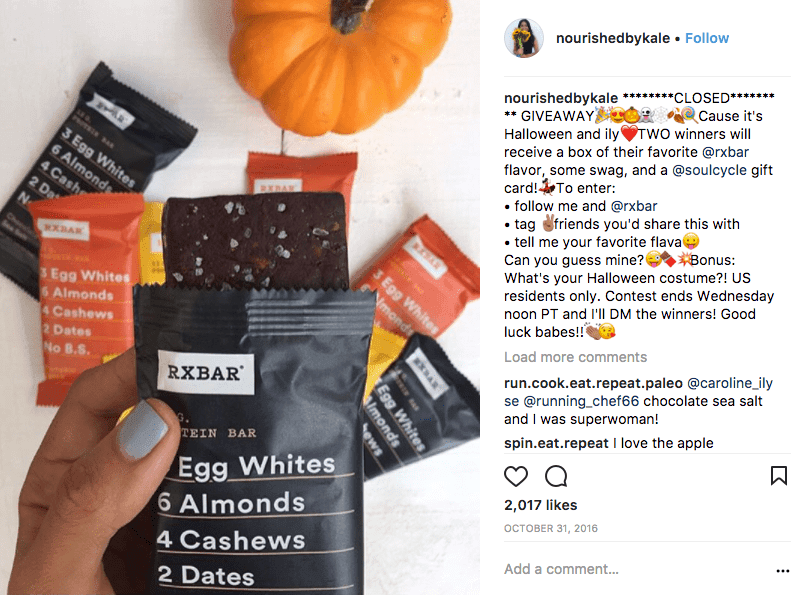
10. Organize a giveaway
One of the better ways to organically grow your Instagram account is to run a giveaway. People love free things even more than discounts. Depending on how you structure the giveaway, it can generate an additional post for you and bring in new potential customers. In addition to asking people to follow your profile, you can also ask them to comment on the post, tag their friends in it, or share your post with their friends.
You can also team up with other small businesses that have a similar audience for giveaways, in order to increase your brand awareness. Both you and your partner business promote the giveaway. This way, you can also gain new followers who are already following your partner business. Of course, don’t rely on this as your only social media strategy.
Also, don’t forget to follow through on the strategy you have set for your Instagram account.
These 10 tips are a great starting point for your tactics of marketing your products and services through Instagram. This way, as a small business, you can improve your presence on Instagram. By enhancing your Instagram strategy with tips such as using the “Stories Highlights” feature and regularly using “Instagram Live,” you will surely be able to establish genuine contact with your ideal customers.
In conclusion …
If you are currently dedicating all your time to social networks such as Facebook, Pinterest, or perhaps LinkedIn, it’s time to add Instagram to your mix for building your base and attracting your ideal customers.
Instagram is not just a network where people post selfies or pictures of their lunch — it is a central social platform with a rapidly growing audience in the 18 to 34 age demographic.
So take some time to plan your Instagram strategy. Make sure you optimize your link (“link in bio”) with a strong call to action, and strive to build a community that will follow your brand or your business.
Develop your visual brand identity by deciding on a specific image style, then stick to a consistent posting schedule that you set on a weekly or monthly basis, and communicate authentically with your followers.
Instagram may not seem like the ideal platform for every industry, especially non-visual ones, but with the right approach you can achieve success for your business as well.